 ▶
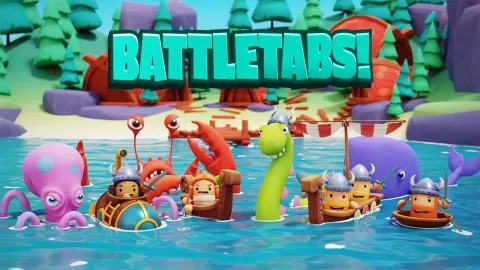
BattleTabs gives you the familiar grid battleship feel but adds depth via unique ships, special skills, and more tactical choices. You place ships hidden from your opponent, then take turns striking their grid, using abilities, and trying to outwit them.
How to Play BattleTabs
You begin by selecting or unlocking a fleet of ships. You then place them on your grid (by dragging or flipping) in hidden positions. Once both players are ready, the match starts. You click on tiles in the opponent’s grid to attack. Missed shots can reveal information about how far the nearest ship is, which helps narrow placement possibilities.
Some ships have special abilities (e.g. reveal, sonar, area attacks). These are limited by cooldowns, so you can’t use them every turn.
Matches come in two styles: intense (fast turns) or casual (longer turn time, can last days).
The goal is to sink all of your opponent’s ships before they sink yours.
What are the controls for BattleTabs?
- Left-click to select a tile or use an ability
- Right-click or mouse wheel to rotate ships or rotate the direction of ability effects
On mobile / touch: you tap to select, drag to move ships, tap UI buttons to activate abilities.
Features
- Multiplayer PvP ship battles
- Ships with special abilities and cooldowns
- Casual and intense match modes
- Fleet customization (unlock and build your fleet)
Playing BattleTabs on CrazyGame
BattleTabs runs directly in your browser — no download, no install, no account. The game is served by its publisher inside the player above, so progress is stored by the game itself rather than on this site. If the player does not start, reload the page once; some titles take a few seconds to load their assets on the first run.
CrazyGame is a directory, not the developer of BattleTabs. Every title links back to the publisher that hosts it, and titles are added or removed as that catalogue changes.