 ▶
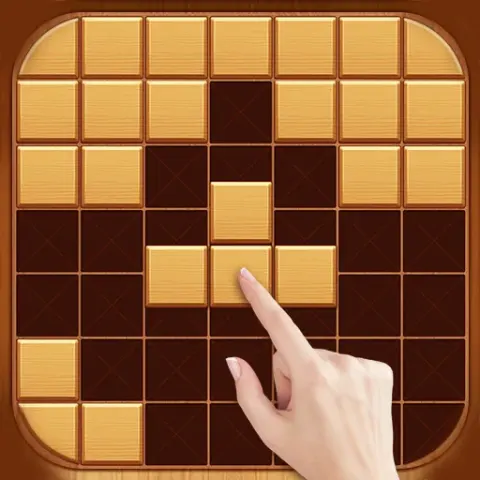
Orderly place the blocks of different shapes and sizes on a 10-by-10 board in Block Puzzle Classic. After each RNG role, you’re awarded up to three Tetris-like pieces to work with. Stack them horizontally or vertically to fill up entire rows or columns and free up the space on the board.
If you’re a fan of relaxing puzzle games look no further! The endless and laid-back gameplay provides countless hours of pure entertainment.
How to play Block Puzzle Classic
The game is over once there isn't enough room on the board to place any of the blocks available. As you'll be working with up to three blocks at a time, always look for an opportunity to position the biggest one first. If you can't find a spot for it, take a look at the remaining pieces and create combos to free up the space so you can continue the playthrough.
There is no particular winning strategy in this endless brain game. It allows you to be creative and figure out innovative ways to distribute the pieces on the board. While eliminating multiple lines simultaneously does feel rewarding, it's often better to clear a single row or column rather than wait for the particular block to create a flashy combo. In time you’ll learn the specific shapes you may roll, so try to keep the sections of the board clear to stay prepared even for the worst-case scenarios.
What are the controls for Block Puzzle Classic?
You can play Block Puzzle Classic on both PC and mobile devices. Click or tap, then hold and drag the blocks to place them on the board.
Features
- A classic puzzle game experience
- Relaxing, addictive, and endless gameplay
- Plenty of winning strategies to develop and perform
Playing Block Puzzle Classic on CrazyGame
Block Puzzle Classic runs directly in your browser — no download, no install, no account. The game is served by its publisher inside the player above, so progress is stored by the game itself rather than on this site. If the player does not start, reload the page once; some titles take a few seconds to load their assets on the first run.
CrazyGame is a directory, not the developer of Block Puzzle Classic. Every title links back to the publisher that hosts it, and titles are added or removed as that catalogue changes.