 ▶
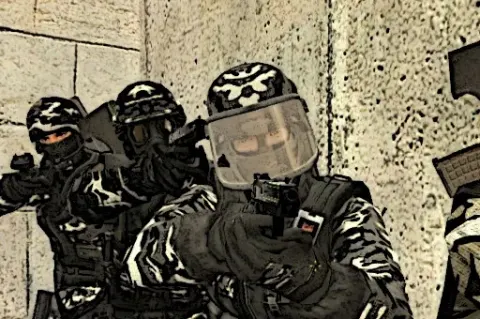
CS Online is a multiplayer first person shooter in the Counter-Strike mold, played in online rooms. If you spent any part of your youth in a LAN cafe arguing about bomb sites, it will feel like coming home.
You join a room, you get a gun, and everyone else in the room would like you to stop existing. It is a simple arrangement, and it has kept shooter fans busy for a very long time.
How to Play CS Online?
Pick a room and drop into the map with the other players. Move around, find the enemy before they find you, and shoot. Right-click aims down the sights, C crouches you behind cover, and holding Shift makes you run when you need to cross open ground quickly.
Switch weapons with the number keys and keep an eye on your ammo, because reloading in the open is how most fights end. There is a chat as well, which you can use for tactics or, more realistically, for complaining about how you died in CS Online.
Tips and Tricks:
- Crouch at corners: A crouched player is a smaller target, and corners are where most fights start.
- Reload behind cover: Press R before you push, not halfway through a firefight.
- Sprint, then slow down: Hold Shift to get across open ground fast, then let go when you expect company.
What Are the Controls for CS Online?
- Shoot: the left mouse button
- Aim: the right mouse button
- Reload: R
- Crouch: C
- Jump: the Space bar
- Run: hold Shift
- Change weapon: the number keys 1 to 9
- Chat: T to open it, Enter to send
- Menu and pause: Tab for the menu, P to pause
These are the keys the developer lists for CS Online.
Features
- Online multiplayer rooms
- Several maps to fight across
- Aiming down the sights, crouching and running
- Nine weapon slots on the number keys
- In-game chat
If CS Online leaves you wanting another round, try the slow motion shootouts of Time Shooter 2 or the heists of Bank Robbery.
CS Online FAQ
Who made CS Online?
CS Online was made by Online Games io.
Is CS Online free to play?
Yes. CS Online is free to play on CrazyGame, and you don't need an account.
Can I play CS Online on a Chromebook?
Yes. CS Online runs in the browser on Chromebooks, Windows PCs and Macs, with nothing to download or install. It works on phones and tablets too.
Playing CS Online on CrazyGame
CS Online runs directly in your browser — no download, no install, no account. The game is served by its publisher inside the player above, so progress is stored by the game itself rather than on this site. If the player does not start, reload the page once; some titles take a few seconds to load their assets on the first run.
CrazyGame is a directory, not the developer of CS Online. Every title links back to the publisher that hosts it, and titles are added or removed as that catalogue changes.