 ▶
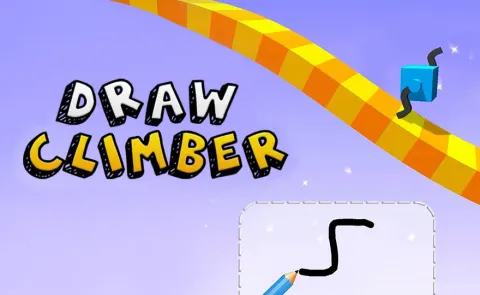
Draw Climber is a unique and addictive mobile game that combines elements of puzzle-solving and racing. As a player, you must draw legs for a cube to help it climb over various obstacles and race against other players to reach the finish line.
How to play Draw Climber?
In Draw Climber, your main task is to draw legs for your cube to navigate through different levels filled with obstacles. The game starts with a simple cube, and you must draw its legs using your finger. The legs you draw will determine how well your cube can move, climb, and overcome obstacles. You need to experiment with different shapes and sizes of legs to find the best way to move your cube forward.
As you progress, the levels become more challenging, requiring creative and strategic drawing to ensure your cube can navigate through tricky terrains and gaps. The key is to adapt your drawings to the obstacles ahead, ensuring your cube maintains speed and stability.
What are the controls for Draw Climber?
- Draw Legs: Use your mouse or finger to draw the legs inside the given box
Features
- Creative drawing mechanics
- Varied and challenging obstacle courses
- Real-time racing against other players
- Customizable cube skins and colors
- Simple and intuitive controls
- Progressively difficult levels
Playing Draw Climber on CrazyGame
Draw Climber runs directly in your browser — no download, no install, no account. The game is served by its publisher inside the player above, so progress is stored by the game itself rather than on this site. If the player does not start, reload the page once; some titles take a few seconds to load their assets on the first run.
CrazyGame is a directory, not the developer of Draw Climber. Every title links back to the publisher that hosts it, and titles are added or removed as that catalogue changes.