 ▶
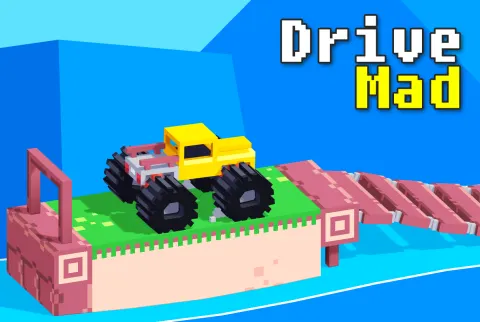
Drive Mad is a physics driving game: get quirky vehicles over wild obstacles to the finish in one piece. The game tests your precision, balance, and timing as you control quirky, off-road vehicles across challenging courses.
How to play Drive Mad?
Your goal is to drive a vehicle from the starting point to the finish line, overcoming a series of increasingly complex obstacles. You'll have to manage the vehicle’s speed and balance carefully, as the game’s physics system makes each level a test of control. The tracks can include gaps to jump, platforms to balance on, or even rotating mechanisms to navigate through. Crashing or flipping over typically results in restarting the level, so you’ll need patience and precision to succeed.
Each level offers a new challenge, from narrow platforms to unexpected traps. Your vehicle may change depending on the level, from a simple truck to a more eccentric vehicle, each with its own handling characteristics. Timing and learning from your mistakes is key to mastering the game.
What are the controls for Drive Mad?
- Press W, D or Up Arrow, Right Arrow to move forward
- Press S, A or Down Arrow, Left Arrow to reverse
- R key to restart the level instantly
On mobile devices, touch the left or right side of the screen to move forward or reverse accordingly.
Features
- Creative, physics-based driving challenges
- Multiple unique puzzles and vehicles with distinct handling
- 100 progressively difficult levels
- Simple, intuitive controls that test your precision!
Playing Drive Mad on CrazyGame
Drive Mad runs directly in your browser — no download, no install, no account. The game is served by its publisher inside the player above, so progress is stored by the game itself rather than on this site. If the player does not start, reload the page once; some titles take a few seconds to load their assets on the first run.
CrazyGame is a directory, not the developer of Drive Mad. Every title links back to the publisher that hosts it, and titles are added or removed as that catalogue changes.