 ▶
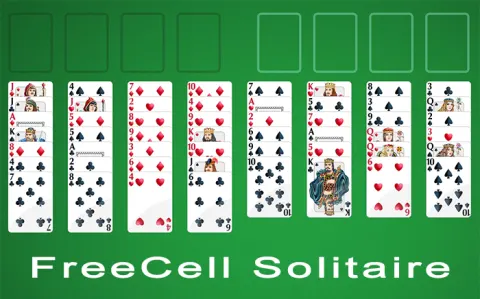
FreeCell Solitaire offers a classic Solitaire card game experience right in your browser. At the start, you can choose between four different Solitaire variations: Baker's Game, Eight Off, Classic FreeCell, and FreeCell Two Decks, each with unique rules and strategies.
How to play FreeCell Solitaire?
When you begin playing FreeCell Solitaire, you can choose one of four variants:
- Baker's Game: This version is similar to FreeCell but uses traditional suit-based moves instead of the usual alternating color pattern.
- Eight Off: This variant starts with eight free cells instead of four, making it slightly easier as you have more space to maneuver cards.
- FreeCell: The classic version where you need to move all cards to the foundation piles using four free cells to help manipulate the cards.
- FreeCell Two Decks: This challenging version uses two decks of cards, doubling the number of cards to be arranged in the foundation piles.
After choosing your preferred variant, the objective is to move all the cards to the foundation piles, which are built up by suit from Ace to King. You use the tableau columns and free cells to manipulate the cards and create the sequences needed to win the game.
What are the controls for FreeCell Solitaire?
- Click on a card to select it
- Click on a destination (another card, a free cell, or a foundation pile) to move the selected card
- Drag and drop a card or a sequence of cards to move them to a new location
- Use undo to reverse your last move if you make a mistake
Features
- Four Solitaire variations to choose from: Baker's Game, Eight Off, Classic FreeCell, FreeCell Two Decks
- Intuitive drag-and-drop or click-to-move controls
- Undo feature to correct mistakes
- Hint system if you get stuck
Playing FreeCell Solitaire on CrazyGame
FreeCell Solitaire runs directly in your browser — no download, no install, no account. The game is served by its publisher inside the player above, so progress is stored by the game itself rather than on this site. If the player does not start, reload the page once; some titles take a few seconds to load their assets on the first run.
CrazyGame is a directory, not the developer of FreeCell Solitaire. Every title links back to the publisher that hosts it, and titles are added or removed as that catalogue changes.