 ▶
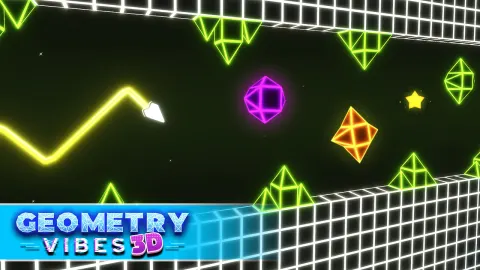
Jump into a neon-lit 3D world where every leap must sync to the beat. Geometry Vibes 3D ramps up the original’s tempo with vibrant visuals and rhythm-based challenges. You’ll dodge obstacles, collect stars, and feel every pulse.
How to Play Geometry Vibes 3D?
You steer a geometric arrow through three-dimensional tunnels, jumping and dodging hazards that pulse to the beat. There’s no pausing mid-air—you must launch with perfect timing, riding the rhythm to avoid spikes and walls. Collect up to 90 stars across Rookie, Pro, and Expert difficulties to unlock arrow skins, trail effects, and flashy visuals. Beyond the single-player journey, you can challenge a friend locally in 2‑Player Mode or test your mettle in Endless Mode by aiming for top spots on the global leaderboard. Consistency is key: learn each level’s rhythm, hit jumps on beat, and don’t let the tempo overwhelm your reflexes.
What Are the Controls for Geometry Vibes 3D?
- Classic single-player:
Use Left‑click (mouse) or W or tap to jump in sync with the beat.
- Local 2‑Player Mode:
Player 1 uses mouse/tap or W, Player 2 uses Up Arrow to jump.
Features
- Rhythm‑driven 3D platforming across neon tunnels
- Three difficulty levels: Rookie, Pro, Expert with rising challenge
- 90 stars to collect, unlocking arrow skins, trails, and visual effects
- Local 2‑Player Mode for epic head‑to‑head rhythm battles
Playing Geometry Vibes 3D on CrazyGame
Geometry Vibes 3D runs directly in your browser — no download, no install, no account. The game is served by its publisher inside the player above, so progress is stored by the game itself rather than on this site. If the player does not start, reload the page once; some titles take a few seconds to load their assets on the first run.
CrazyGame is a directory, not the developer of Geometry Vibes 3D. Every title links back to the publisher that hosts it, and titles are added or removed as that catalogue changes.