 ▶
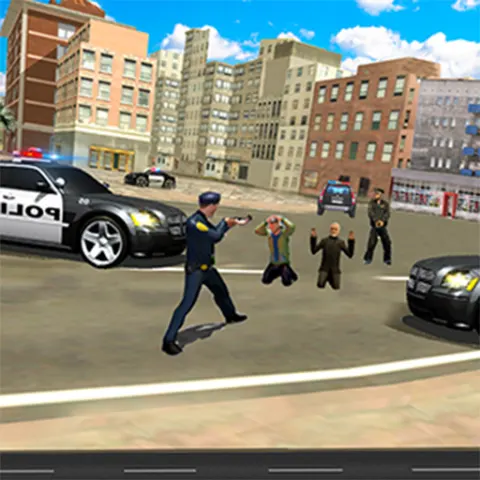
The tables have turned in GTA: Save My City, as instead of breaking the law, you’re playing as a cop in an attempt to keep the citizens safe and bring all the wrongdoers to justice! There are a total of 10 missions available that involve car and on-foot chases after the bad guys, and it might take more than a couple of tries to complete them all!
The graphics are kind of retro, but not in a good way, so at least you can pretend you’re in the late 1990s and witnessing the most advanced engine known to mankind at that time. The gameplay, on the other hand, isn’t as half as bad, so if you enjoy playing as a cop on a mission to capture the bad guys, you should definitely give this one a try.
How to play GTA: Save My City
At the beginning of each mission, you’ll get a horribly written brief, but despite the sloppy English, you’ll have a good idea of what must be done. It’s very important to act swiftly, or the perpetrators might get away, and you’re forced to start over. Despite the fact you’re involved in adrenaline-packed chases, you must take care of your ride because excessive crashing is yet another loss condition.
What are the controls for GTA: Save My City?
GTA: Save My City is not available on mobile web, and you can play it for free exclusively in a PC browser.
- WASD/arrow keys — walk or drive
- G — get in the car
- O — get out of the car
- L — lock/unlock cursor
- Mouse move — look around
- Shift (hold) — walk
Features
- A police officer’s journey in a crime-infested city
- 10 missions to complete and bring bad guys to justice
- Underwhelming graphics yet enjoyable gameplay
Playing GTA: Save My City on CrazyGame
GTA: Save My City runs directly in your browser — no download, no install, no account. The game is served by its publisher inside the player above, so progress is stored by the game itself rather than on this site. If the player does not start, reload the page once; some titles take a few seconds to load their assets on the first run.
CrazyGame is a directory, not the developer of GTA: Save My City. Every title links back to the publisher that hosts it, and titles are added or removed as that catalogue changes.