 ▶
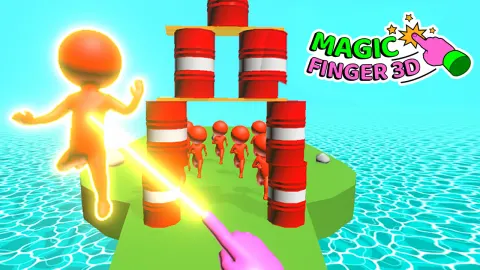
Magic Finger 3D turns your fingertip into a telekinetic weapon. You don’t shoot or punch enemies; you lift, toss, and crush them using anything in sight. Barrels, crates, or even other enemies can become deadly projectiles. It’s chaos wrapped in smooth 3D physics, letting you unleash pure destructive creativity with a single finger.
How to Play Magic Finger 3D
Each level drops you into an arena filled with enemies. You use your finger or mouse to grab objects, drag to aim, and release to hurl them into foes. The goal is to clear every enemy before they reach you. As you advance, enemies get tougher, some carry weapons, and bosses demand multiple hits.
You can use explosive barrels or knock enemies into each other for quick takedowns. Timing matters: let too many enemies gather and you risk being overwhelmed, but if you plan your throws right, you can cause massive chain reactions. Your powers grow stronger as you progress, letting you toss heavier objects and hit harder.
What Are the Controls for Magic Finger 3D?
- Hold and drag with your finger or mouse to pick up and aim
- Release to throw objects or enemies toward your target
Features
- Fully physics-based destruction
- Grab and throw any object or enemy
- Upgradable telekinetic power
- Increasingly tough enemies and bosses
- Vibrant low-poly 3D visuals
Playing Magic Finger on CrazyGame
Magic Finger runs directly in your browser — no download, no install, no account. The game is served by its publisher inside the player above, so progress is stored by the game itself rather than on this site. If the player does not start, reload the page once; some titles take a few seconds to load their assets on the first run.
CrazyGame is a directory, not the developer of Magic Finger. Every title links back to the publisher that hosts it, and titles are added or removed as that catalogue changes.