 ▶
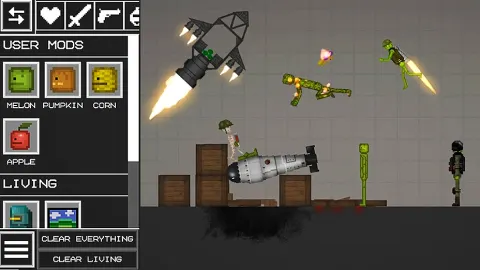
Melon Playground is a 2D sandbox game: drag items onto the field, change them, and see what happens.
How to play Melon Playground?
Melon Playground invites you to a world where your imagination can run wild. The gameplay primarily involves dragging items from your inventory onto the game field. You can adjust the size, texture, and other properties of these items by double-clicking on them. The game encourages you to save your progress frequently so you don't lose any of your creations. Additionally, changing the map's theme and adding different environmental elements can enhance your play area. Experimentation is crucial as each item interacts uniquely with others, offering endless possibilities for creativity.
What are the controls for Melon Playground?
You control the game via mouse or by tapping on the screen on mobile devices.
- Drag and Drop: Select and move items around the field
- Double-Click: Open the context menu to adjust item properties
- Save Button: Click to save your current progress and creations
Features
- Creative sandbox gameplay with limitless possibilities
- Extensive collection of items for dynamic scene creation
- Adjustable map themes and environmental enhancements
- Active community with accessible mods and shared content
Playing Melon Playground on CrazyGame
Melon Playground runs directly in your browser — no download, no install, no account. The game is served by its publisher inside the player above, so progress is stored by the game itself rather than on this site. If the player does not start, reload the page once; some titles take a few seconds to load their assets on the first run.
CrazyGame is a directory, not the developer of Melon Playground. Every title links back to the publisher that hosts it, and titles are added or removed as that catalogue changes.