 ▶
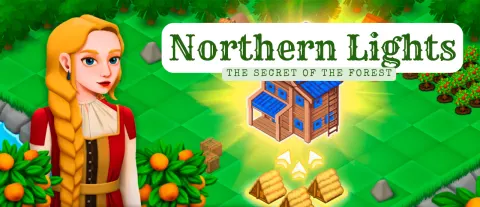
Guide Princess Marya on a quest to uncover the secrets of the magical forest in Northern Lights — a whimsical isometric merge-3 idle clicker. In a fairy tale realm, the protagonist is lucky to have Kotofei by her side, the wise cat advisor, who, like a real scholar, will help her learn everything she needs to know. The gameplay is gorgeously simple but also very addictive — don’t say we didn’t warn you!
What sets the tone for an overwhelmingly enjoyable atmosphere is the brilliantly relaxing music (we highly recommend playing with sound on), and the eye-catching graphics are just the icing on the cake. The story is mostly driven by dialogues between the princess and her cat companion, adding yet another layer of immersion if you care to read them.
How to play Northern Lights
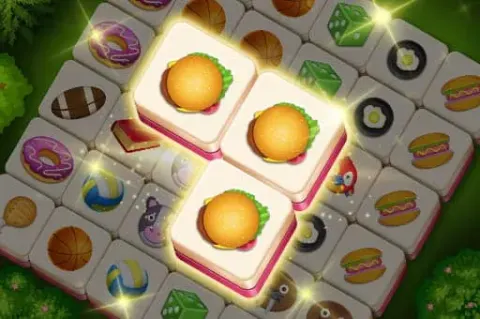
There are various items scattered on the ground, and in most cases, you want to merge three of a kind to evolve them into the higher tier item of the same class. Aside from simply merging the resources and buildings, some objects take time and energy to remove and harvest.
The UI design is flawless, and if you take a minute to explore it, it’s really easy to learn everything you need to know about the game. To merge items, they must be placed adjacent to each other, and if you combine 5 instead of 3, you’ll earn a bonus yield of the adequate resource.
What are the controls for Northern Lights?
You can play Northern Lights on PC and mobile devices alike, but to fully appreciate its glorious splendor, we recommend playing on a bigger screen.
- Click or tap on a resource tile to harvest it.
- Click or tap, then hold and drag to move the objects around the forest and merge them.
Features
- A fairy tale isometric merge-3 RPG
- Beautiful princess and her tutor, the cat
- Captivating, relaxing, and addictive gameplay
- Exquisite music and eye-catching graphics
Playing Northern Lights on CrazyGame
Northern Lights runs directly in your browser — no download, no install, no account. The game is served by its publisher inside the player above, so progress is stored by the game itself rather than on this site. If the player does not start, reload the page once; some titles take a few seconds to load their assets on the first run.
CrazyGame is a directory, not the developer of Northern Lights. Every title links back to the publisher that hosts it, and titles are added or removed as that catalogue changes.