 ▶
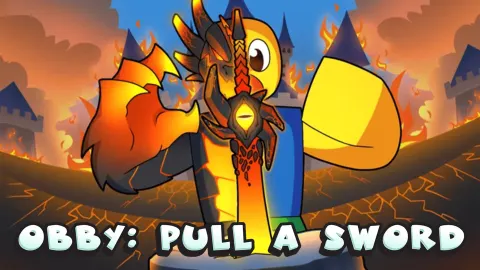
Boost your strength, acquire better weapons, purchase wacky character skins, and become the strongest warrior on the server in Obby: Pull a Sword! Explore different realms as you become more and more powerful, defeat world bosses, and prove your worth by pulling out the legendary blades stuck in dense and hard rocks.
This casual stat-grinding RPG is essentially a third-person action/adventure clicker. Each time your avatar swings a sword, its strength grows, and it trains to take on more formidable challenges. The gameplay is hyper-casual and quite relaxing, with each next realm you explore featuring a unique visual style, making your epic journey highly rewarding.
How to play Obby: Pull a Sword
As you unlock new weapons and boosters, your strength increases progressively and quickly reaches some mind-blowing levels. To earn trophies, you’ll need to pull various swords stuck in stones by — once again — clicking repeatedly once you initiate the challenge. The recommended strength value is shown on each of the rocks you approach, and if you stick to the developer’s advice, the progression will be smooth and effortless.
What are the controls for Obby: Pull a Sword?
To load the game, flip your mobile device in the landscape mode first. Use the virtual joystick button on the left to move around the realm, and use the additional easily discerned buttons on the right to perform other actions.
While playing in a PC browser:
- Use the WASD keys to move, the Spacebar to jump, and the E key to interact.
- Use the left click to swing a sword.
- Hold the right click, then drag it to rotate the camera.
Features
- A Roblox-inspired third-person action clicker
- Your strength grows with each sword swing
- Funny pet companions and character skins
- Different realms to explore and world bosses to defeat
Playing Obby: Pull a Sword on CrazyGame
Obby: Pull a Sword runs directly in your browser — no download, no install, no account. The game is served by its publisher inside the player above, so progress is stored by the game itself rather than on this site. If the player does not start, reload the page once; some titles take a few seconds to load their assets on the first run.
CrazyGame is a directory, not the developer of Obby: Pull a Sword. Every title links back to the publisher that hosts it, and titles are added or removed as that catalogue changes.