 ▶
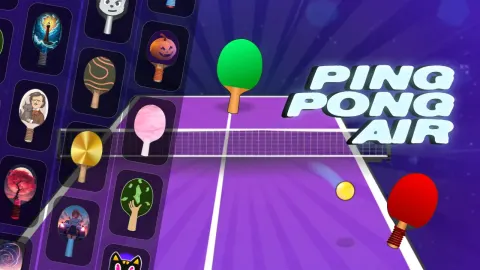
Ping Pong Air turns classic ping-pong into a casual arcade game. You grab a paddle and try to outplay an opponent or hit targets. It is simple, fun and easy to jump into with no complicated setup.
How to Play Ping Pong Air?
You use your mouse on desktop or your finger on mobile to move the paddle and hit the ball. Matches often go up to 11 points; the first player to reach 11 wins.
There are several modes: classic mode (face an opponent), challenge mode (hit targets), career/tournament mode (progress through opponents), and occasional seasonal modes.
If you are new, start with classic mode to get used to the ball physics and paddle movement. Once comfortable, challenge mode helps sharpen accuracy.
What are the controls for Ping Pong Air?
- Desktop: Move the paddle using your mouse
- Mobile / Touch devices: Control the paddle with finger swipe or tap
Features
- Multiple game modes including classic, challenge, career and special seasonal modes
- Unlockable paddles and cosmetic variety
- Simple intuitive controls that are easy for beginners to pick up
- Responsive ball physics and satisfying paddle-ball interactions
Playing Ping Pong Air on CrazyGame
Ping Pong Air runs directly in your browser — no download, no install, no account. The game is served by its publisher inside the player above, so progress is stored by the game itself rather than on this site. If the player does not start, reload the page once; some titles take a few seconds to load their assets on the first run.
CrazyGame is a directory, not the developer of Ping Pong Air. Every title links back to the publisher that hosts it, and titles are added or removed as that catalogue changes.