 ▶
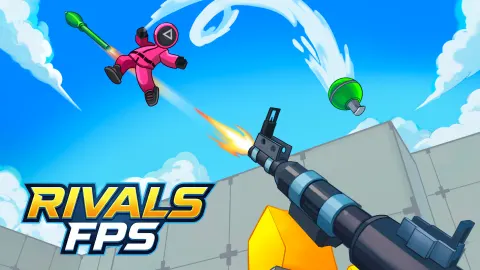
RIVALS FPS: Online Shooter is a multiplayer first-person shooter with no 40-gig download and no launcher. That alone puts it ahead of most things on your hard drive.
Its developer says it was inspired by Star Wars Battlefront and Battlefield. It has not got their budget, but it has got the important bit, which is a big arena full of other people trying to shoot you.
How to Play RIVALS FPS: Online Shooter?
To get into a match you either create a map or join players who are already in one. Everything runs from the Lobby, which holds the game modes, weapons, skins and the leaderboard. There are two modes: Deathmatch, where it is every player for themselves, and 1 on 1, a straight duel against a single opponent.
Everyone starts with the SCAR rifle, which is perfectly decent. Later you can pick up the M16 for sustained fights, the AVP sniper rifle that kills in one shot, or melee weapons if you prefer to settle things up close. The maps are big and built on several levels, so enemies can be above or below you, and there is a Training Ground for practicing your shooting and melee before you embarrass yourself in public.
Tips and Tricks:
- Keep moving: Standing still in a Deathmatch is how you end up on someone else's highlight reel.
- Check above and below: The maps are multi-level, so the threat is not always at eye height.
- Warm up first: The Training Ground costs nothing and saves you a lot of respawns.
What Are the Controls for RIVALS FPS: Online Shooter?
- Move: W, A, S, D
- Look and aim: mouse, with the right mouse button to aim down sights
- Shoot: left mouse button
- Jump / Crouch / Reload: Space / C / R
- Switch weapons: 1, 2, 3, 4
- Interact with objects: E
- On mobile: joystick on the left to move, swipe on the right to look, plus jump, reload, aim and crouch buttons
In other words, the layout every PC shooter has used for twenty years, which means your fingers already know it.
Features
- Online multiplayer, alone or with friends
- Deathmatch and 1 on 1 modes, plus leaderboards
- SCAR, M16, AVP sniper rifle and melee weapons
- Skins for weapons and characters
- Free in your browser on a computer or a phone
When you want more quick-join gunfights after RIVALS FPS: Online Shooter, try the egg-based chaos of Shell Shockers or the fast arenas of Veck.io.
RIVALS FPS: Online Shooter FAQ
Who made RIVALS FPS: Online Shooter?
RIVALS FPS: Online Shooter was made by Eccentric Studio Games.
Is RIVALS FPS: Online Shooter free to play?
Yes. RIVALS FPS: Online Shooter is free to play on CrazyGame, and you don't need an account.
Can I play RIVALS FPS: Online Shooter on a Chromebook?
Yes. RIVALS FPS: Online Shooter runs in the browser on Chromebooks, Windows PCs and Macs, with nothing to download or install. It works on phones and tablets too.
Playing RIVALS FPS: Online Shooter on CrazyGame
RIVALS FPS: Online Shooter runs directly in your browser — no download, no install, no account. The game is served by its publisher inside the player above, so progress is stored by the game itself rather than on this site. If the player does not start, reload the page once; some titles take a few seconds to load their assets on the first run.
CrazyGame is a directory, not the developer of RIVALS FPS: Online Shooter. Every title links back to the publisher that hosts it, and titles are added or removed as that catalogue changes.