 ▶
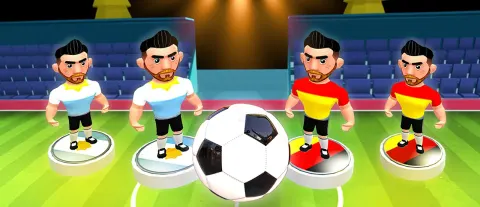
Stick Soccer 3D is a new type of 3D soccer game that offers various modes, football teams, stadiums, soccer tactics, and many more. You can play this game in single or two-player mode, compete in tournaments or engage in a speed match.
The speed mode allows you to start your soccer game with no limits. Watch your player’s position and decide which one will shoot the ball. Score as many goals as possible to make your soccer team the ultimate champions. When you win all the matches in tournament mode, you will receive a cup!
How To Play Stick Soccer 3D?
Firstly, you need to decide which mode you want to play — single player, two players, tournament, or speed mode. After that, you need to select your team and the league you want to play in. As you progress further, you can unlock new teams and leagues. Just like in real-life football, you win the match by scoring the most goals.
What Are The Controls For Stick Soccer 3D?
On PC, you only need to use your mouse to play Stick Soccer 3D. Click the left mouse button and hold it on the character you want to shoot the ball, take your aim and then release to shoot the ball. On your smartphone, simply tap on the footballer and hold to take aim, then release to shoot. In two-player mode, players 1 and 2 will use the same controls and take turns.
Features
- Multiple game modes available, including tournament and speed mode
- Various characters, soccer teams, tactics, and stadiums to be unlocked
- Vivid and diverse graphics for immersive gameplay
Playing Stick Soccer 3D on CrazyGame
Stick Soccer 3D runs directly in your browser — no download, no install, no account. The game is served by its publisher inside the player above, so progress is stored by the game itself rather than on this site. If the player does not start, reload the page once; some titles take a few seconds to load their assets on the first run.
CrazyGame is a directory, not the developer of Stick Soccer 3D. Every title links back to the publisher that hosts it, and titles are added or removed as that catalogue changes.