 ▶
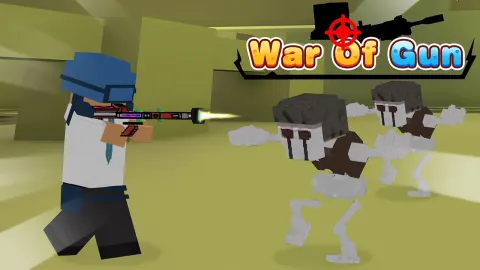
War of Gun is an engaging first-person shooter (FPS) game with multiplayer capabilities and plenty of interesting, engaging game modes to play. The game draws inspiration from Minecraft and Roblox with the blocky characters and high contrast environments. As for the gameplay of War of Gun, it's all about immersing yourself in a world of intense shooting action, and the longer you play, the more rewards you can unlock.
How to play War of Gun?
In War of Gun you will find yourself engaging in different modes that test your shooting skills and strategic thinking. Notable modes include:
- Duels: Engage in one-on-one battles.
- Zombie Mode: Battle against hordes of zombies.
- Fun Mode: Offers sub-modes like Sniper, Knife, and 2 vs 2 modes for varied experiences.
- Sniper Mode: Where only rifles are used.
- Knife Mode: Combat with knives only.
- 2 vs 2 Mode: A team-based mode with limited weapon options.
Each mode presents its own objectives and strategies, ranging from team-based gameplay to solo challenges.
What are the controls for War of Gun?
The controls are intuitive and typical for FPS games:
- WASD keys: Move around.
- Mouse: Aim and shoot.
- R key: Reload your gun.
- SPACEBAR: Jump.
- Numerals 1 to 8: Change weapons.
Features
- Diverse game modes: Raid, Deathmatch, Battle Royale, Duels, and more
- Strategic gameplay: Conquer territories and engage in tactical battles
- Stunning graphics: Enjoy immersive and realistic environments
- Gripping gameplay: Stay captivated with dynamic and intense action
- Unlockables: Earn coins and experience to unlock new items, weapons, and skins
Playing War of Gun on CrazyGame
War of Gun runs directly in your browser — no download, no install, no account. The game is served by its publisher inside the player above, so progress is stored by the game itself rather than on this site. If the player does not start, reload the page once; some titles take a few seconds to load their assets on the first run.
CrazyGame is a directory, not the developer of War of Gun. Every title links back to the publisher that hosts it, and titles are added or removed as that catalogue changes.