 ▶
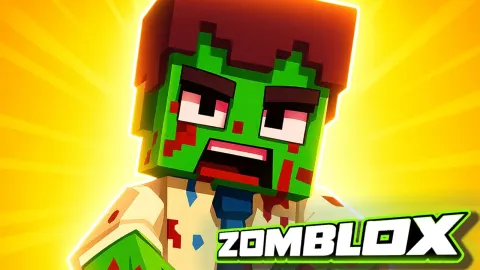
Zomblox drops you into a school that has gone full apocalypse with classmates munching brains and a bossy zombified teacher running detention. You sprint through classrooms, the pool, and ductwork while snagging guns, tossing grenades, and rescuing friends. It plays like a cheeky mashup of blocky shooters and wave survival with secret routes and meme flavored surprises that keep you testing every corridor for hidden loot.
How to Play Zomblox?
You start in a school under siege and your goal is to clear areas, save survivors, and stay alive while you gather better gear. Move room to room, break crates for ammo, and switch weapons based on range. Shotguns make tight hallways feel safe, rifles carry fights across the gym, and grenades wipe clustered mobs near doors. Between waves, keep your head on a swivel and listen for audio cues since enemies funnel from vents and stairwells. Explore side paths to uncover secrets and extra cash for skins. On tougher sections, kite the horde through wide loops in the pool area or central hall, tag priority targets like fast sprinters first, then mop up the slow crowd. Keep reloads timed after a clear burst rather than when enemies are in your face, and do not hoard grenades since the best run is the one where you actually use your tools.
What are the controls for Zomblox?
PC:
- WASD move
- Mouse aim
- LMB fire
- RMB ADS
- Space jump
- Shift sprint
- R reload
- E interact
- 1/2/3 switch
- 4 grenade
- 5 cat decoy
- Esc pause
Mobile: Left stick move, right swipe aim, Fire shoot, Jump jump, Reload reload, Weapon icons switch, Grenade toss, Cat decoy, Sprint toggle
Features
- Story flavored missions inside a zombie infested school with a tongue in cheek vibe
- Hidden secrets and shortcuts that reward curious players
- Weapon skins and a light shop loop to personalize your loadout
- Tight FPS controls that feel responsive on desktop and mobile
- Arena style hotspots such as the pool and gym that enable smart kiting routes
Playing Zomblox on CrazyGame
Zomblox runs directly in your browser — no download, no install, no account. The game is served by its publisher inside the player above, so progress is stored by the game itself rather than on this site. If the player does not start, reload the page once; some titles take a few seconds to load their assets on the first run.
CrazyGame is a directory, not the developer of Zomblox. Every title links back to the publisher that hosts it, and titles are added or removed as that catalogue changes.